

AI Magic Learning
AI Magic Learning is an optional add-on that makes the widget AI progressively smarter about your specific store. Turn it on and the assistant quietly studies how your store actually works — real operator conversations, the current catalogue, what's on sale — and uses that to answer customers more like a salesperson who actually works for you.
One-click to enable
In Site Settings → AI Assistant Widget → Settings toggle AI Magic Learning. That's it — no extra configuration. Works on all plans with an active balance.
What it learns
Once a week (and right after every catalogue refresh) the assistant runs a background pass that updates three kinds of knowledge.
1. Real operator answers
Every customer↔operator conversation from the last week is read and distilled into short knowledge snippets. The assistant remembers how your team answers real questions — delivery estimates for specific cities, warranty terms that aren't on the website, why a particular model is currently recommended, how you handle custom orders, and so on.
Next time a visitor asks a similar question, the widget AI draws on this memory instead of giving a generic reply.
Privacy-preserving
- Emails and phone numbers are automatically stripped from every message before the AI ever sees them.
- Only content from messages is learned — customer identifiers (names, IPs, session IDs) are never stored.
- Attachments are kept only if the operator shared them and only when they are images or PDFs (other files may contain private info and are dropped).
- The privacy rules tell the AI to use the knowledge from operator answers, but never to quote a past customer's situation or leak their personal details to a new visitor.
2. Current catalogue awareness
The assistant keeps a live sense of what's happening in your shop:
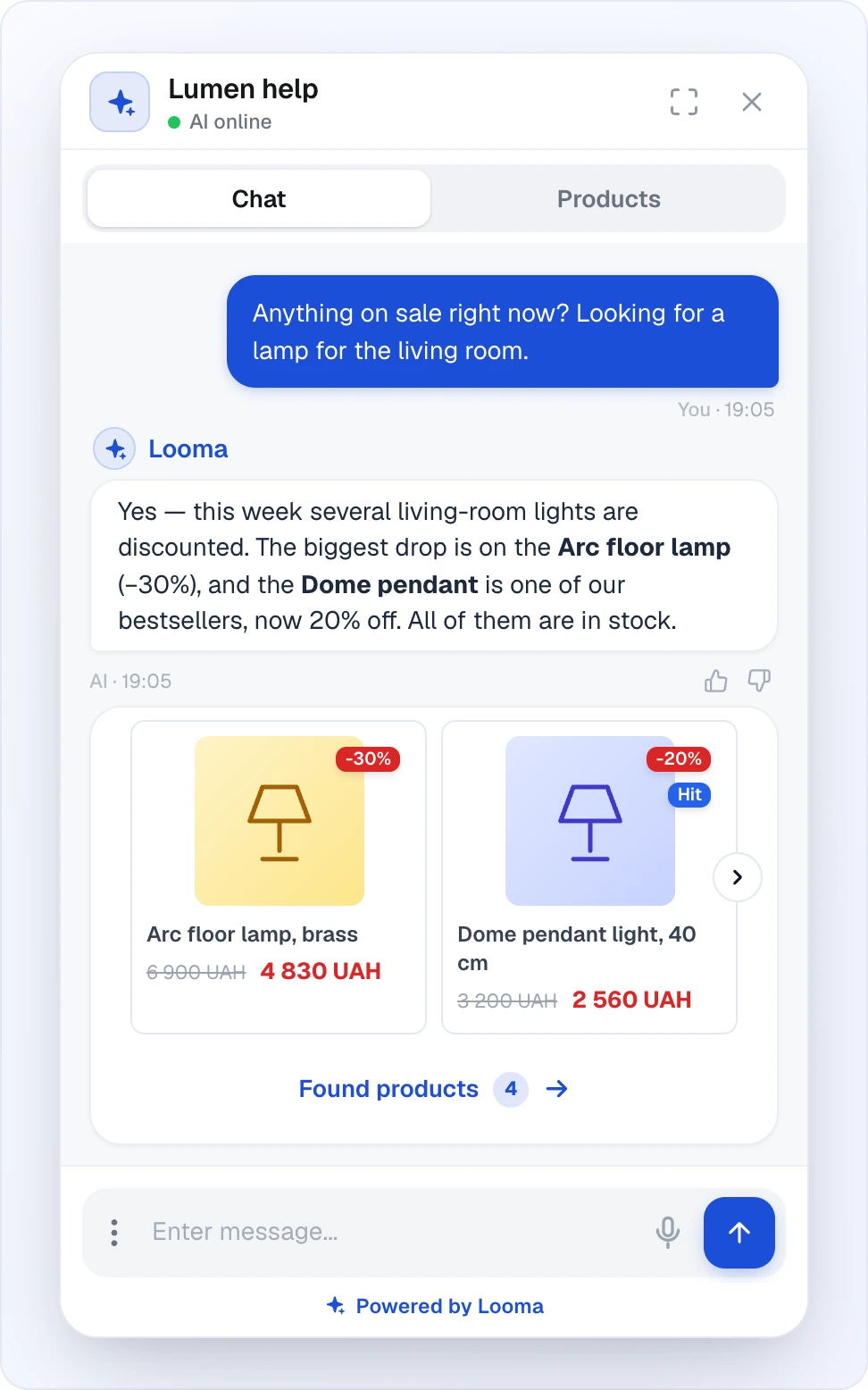
- Items on sale — the top discounted items right now, and by how much
- Popular items — the top 20 products by views and orders
So when someone asks "what's popular?" or "any deals?", the widget can answer from facts, not guesses — and naturally upsell or cross-promote when it makes sense.
3. Your site structure
The category list from your site is mirrored into the assistant's memory. When a customer's question is better answered by pointing them to a section (rather than a single product), the AI can suggest the right category link — in your language, matching your naming.
When to enable it
| Situation | Helpful? | Why |
|---|---|---|
| You have a support team that chats with customers | Yes | The AI learns from your team's real answers |
| Many FAQ-style questions about delivery/payment/warranty | Yes | Operator replies turn into canonical answers |
| Frequent sales, promos, new arrivals | Yes | The AI always knows what's current |
| Large catalogue with distinct sections | Yes | Customers get pointed to the right category |
| Only a few products, no operators | Marginal | Still works but less material to learn from |
| Testing phase, empty catalogue | Not yet | Wait until real conversations start |
How to turn it on
- Open Dashboard → Sites → <your site> → AI Assistant Widget → Settings.
- Scroll to the AI Magic Learning card (right below AI Order Processing and just above General AI behavior rules).
- Toggle it on. Click Save Changes.
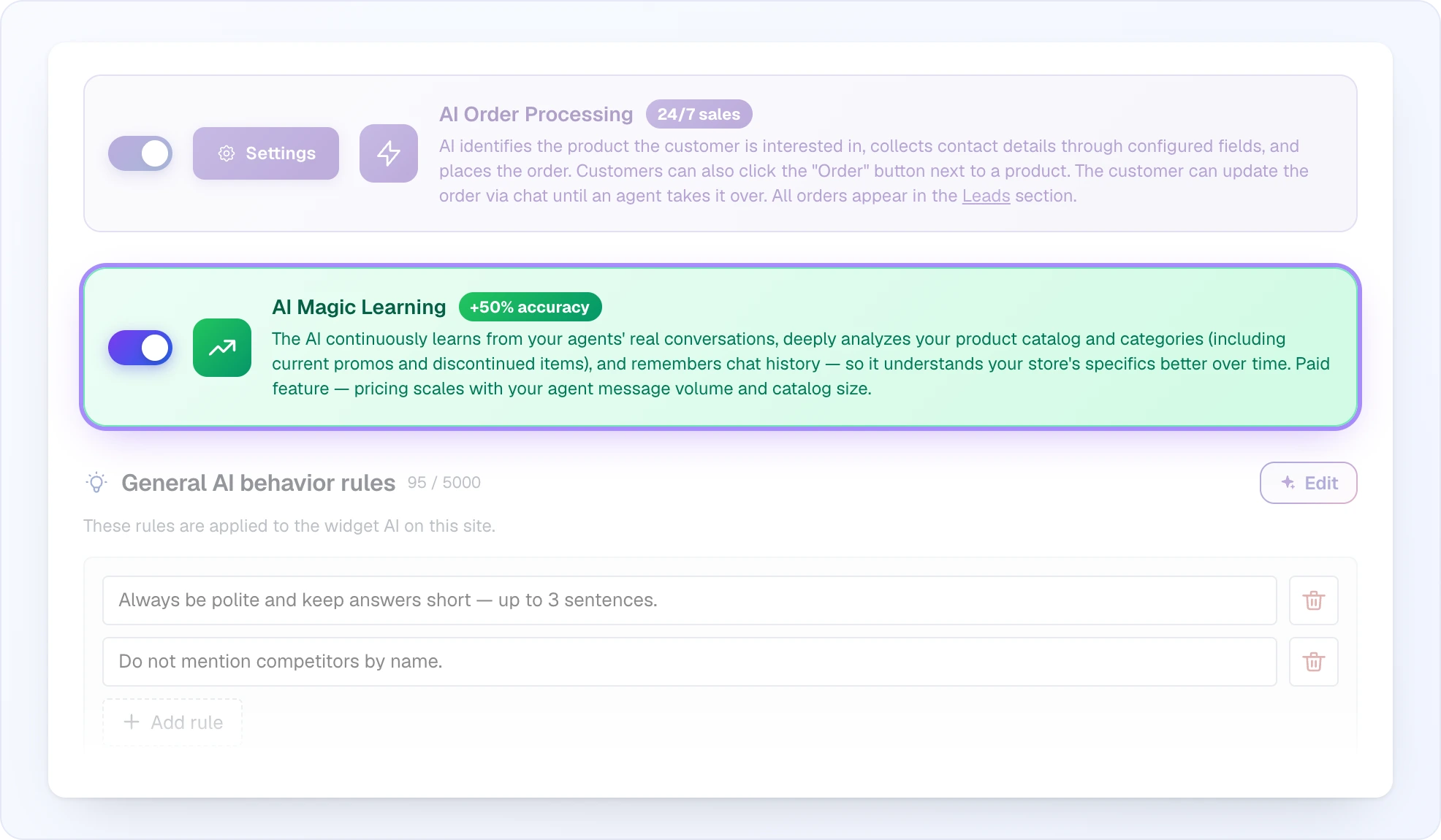
New sites created after the feature shipped start with Magic Learning enabled by default. Existing sites need the toggle flipped manually.
Turning it off
Flipping the toggle off instantly hides everything the feature learned from the widget — the AI stops using those memories in real time. Flip it back on and the previous memories return, no re-processing needed, until the feature updates them on its next run.
Cost
Magic Learning runs on your site's regular credit balance — there is no separate subscription.
- No changes to data: zero cost. If nothing has moved in your catalogue and no new operator dialogues happened, a weekly pass consumes 0 credits.
- Typical cost when things change: a few credits per site per week (tens of chunks × tiny embedding price). Even heavy activity rarely exceeds a couple of dozen credits per run.
- First run on a large catalogue is the most expensive single pass, and still usually lands well under 100 credits.
The feature automatically pauses when your client balance is zero, so it can't run up a debt.
Not the same as AI Magic Data
AI Magic Learning is about teaching the widget AI from your ongoing dialogues and catalogue changes. AI Magic Data is a separate one-time feature that processes each individual product to generate rich descriptions and embeddings — see AI Magic Data. The two complement each other and can be used together.
Related features
- AI Assistant Overview — main chat settings including Start vs Max models
- AI Behavior Rules — hand-written rules that sit alongside learned knowledge
- Knowledge Base — static topics you maintain manually
- AI Magic Data — one-time AI processing of individual products
- Credits & Plans — how usage is billed