

Modules
Modules is the catalog of what Looma can do: what the AI assistant and quick search are capable of, which widget each capability powers and what it costs in credits. From here you also jump to a module's settings on the site you need. The page is in the sidebar (Modules) and is available to the Owner and Administrator roles only — it does not open for other roles.
How the page is laid out
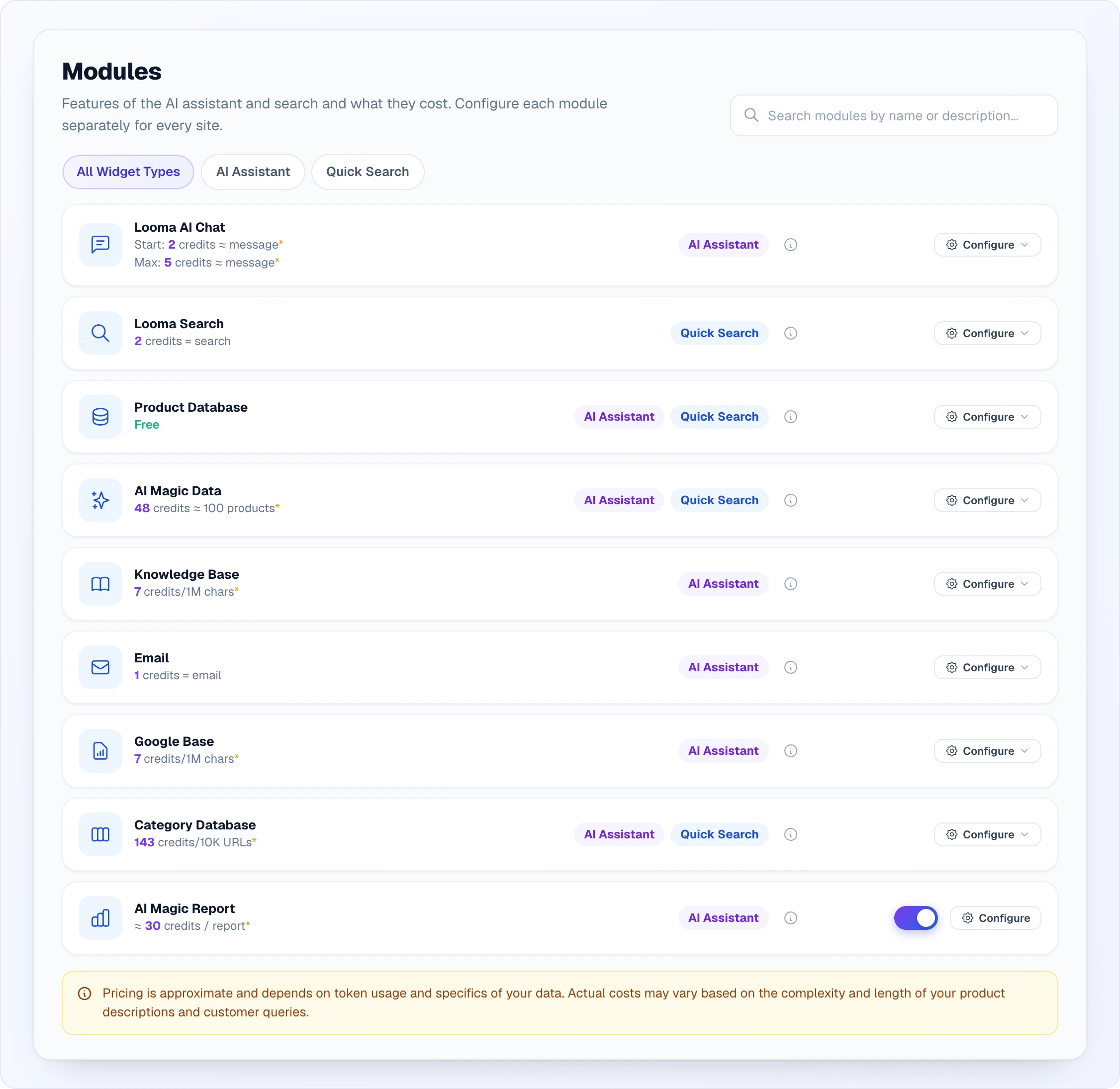
At the top are the title and the Search modules by name or description field. Below them are three filter chips by widget type, then the list of module cards and a yellow pricing note.
Each module card has four parts:
| Part | What it shows |
|---|---|
| Icon and name | Which module it is. |
| Cost line | The price in credits per unit, for example "2 credits = search" or "7 credits/1M chars". A * means the price is approximate. "Free" means the module spends nothing. |
| Widget labels | AI Assistant — the module works in the chat; Quick Search — in quick search; both labels — in both widgets. |
| (i) button | Opens a popup with the module's full description and cost (see below). |
| Configure | Takes you to this module's settings for the chosen site (see below). |
Account modules (AI Magic Report, Calls) have a switch instead of a site list — it applies to the whole account at once.
The page is a control panel, not a workshop: it does not store a module's content. Knowledge Base topics, Google sources, the category map or email settings are edited on the site settings page that Configure leads to.
Search and filter
- Search filters the list as you type — by the module's name and by its description. So a query like "sitemap" finds Category Database even though the word is not in its name.
- Widget type chips: All Widget Types, AI Assistant or Quick Search. A module that works in both widgets (for example Product Database or AI Magic Data) appears under each of the two chips.
- Search and filter work together; any change takes the list back to the first page.
- When there are more than 10 modules, Previous, Next and page numbers appear below the list.
The Configure button and picking a site
Modules are configured separately for each site, so the Configure button first asks which site you mean:
- One site in the account — the button opens the module's settings for it straight away.
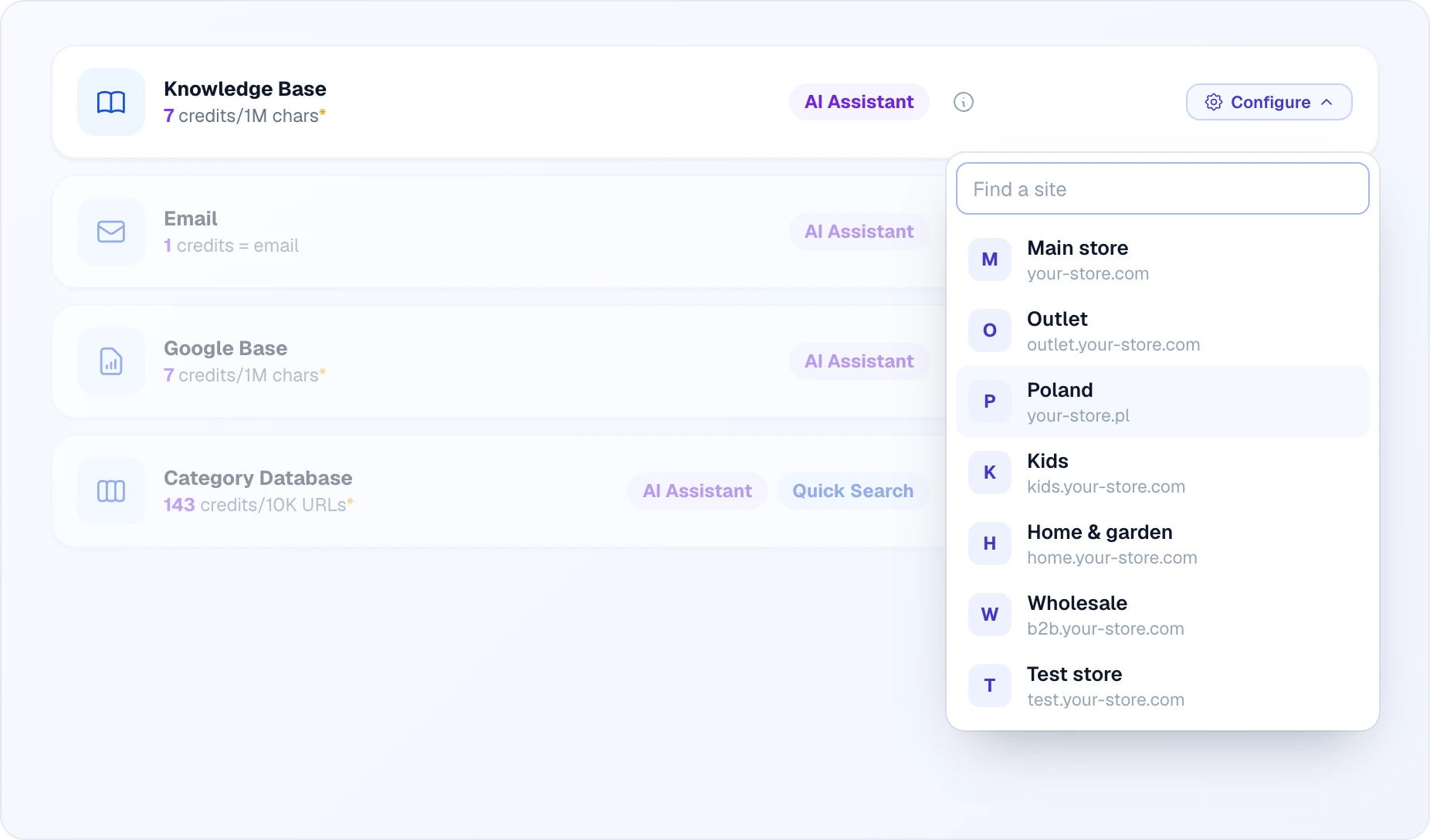
- Several sites — the button has an arrow, and clicking it drops a list of sites (name and domain). Pick a site and you land on its settings page, right in the relevant section.
- More than six sites — a Find a site field appears above the list and searches by name and domain. If nothing matches, the list says "Site not found".
Where Configure leads for each module:
| Module | Site settings section |
|---|---|
| Looma AI Chat | AI Assistant |
| Looma Search | Quick Search |
| Product Database | Products |
| AI Magic Data | AI Magic Data (product processing) |
| Knowledge Base | AI Assistant → Knowledge Base |
| AI Assistant → Email | |
| Google Base | AI Assistant → Google Base |
| Category Database | Quick Search → Category Database |
| AI Magic Report | the AI Magic Report page (no site choice) |
| Calls | settings on the Calls page (no site choice) |
The module details popup
The (i) button on a card opens a popup with the module's name, widget labels, a full description of its features and a Cost block. This is where you see what exactly the module includes: for Looma Search, for example — category filtering, typo correction, transliteration, keyboard layout correction and the synonym database, plus a note that only completed searches with results are charged.
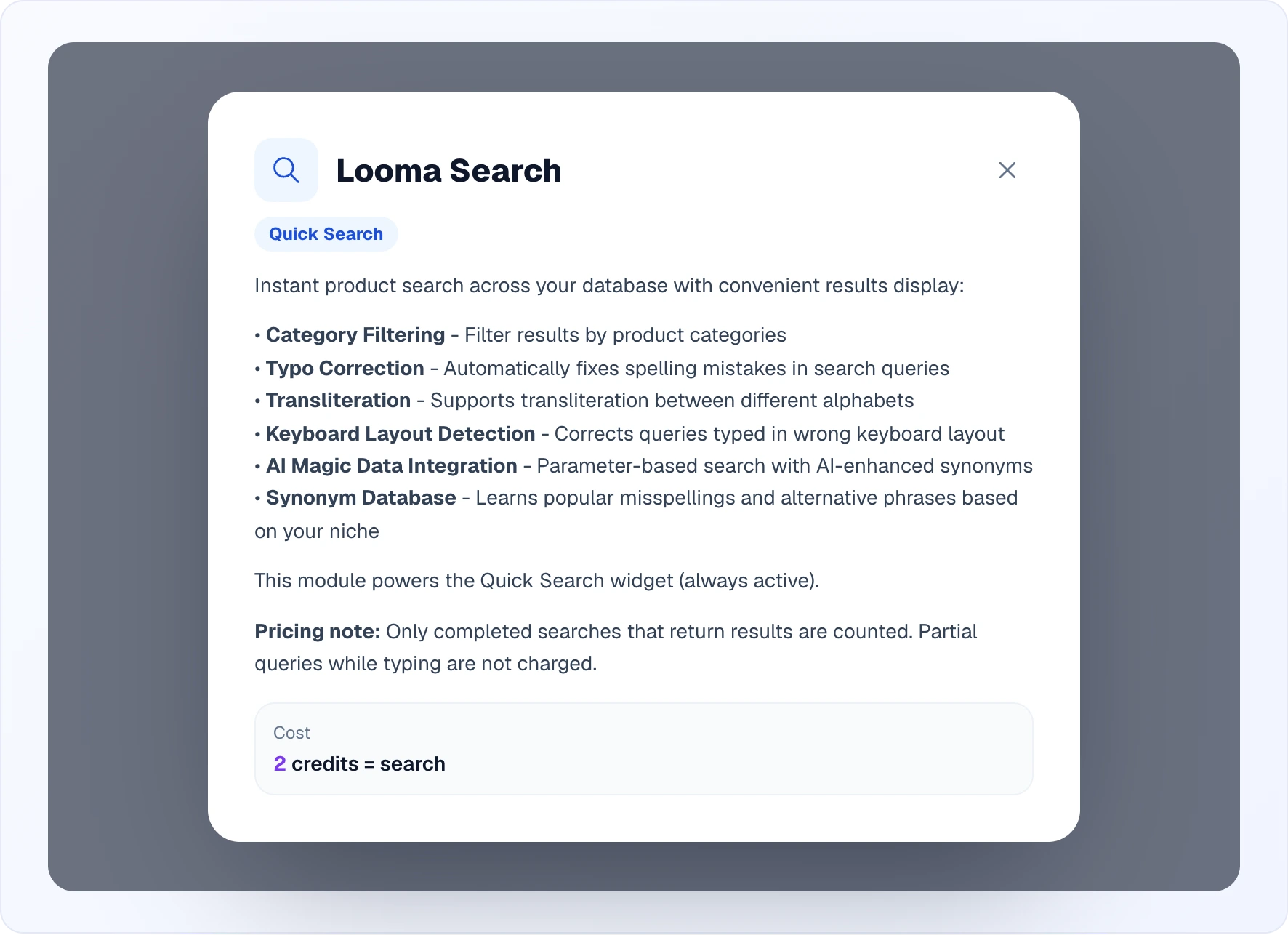
Close the popup with the cross, by clicking outside it or with Esc.
Site modules
Eight modules work per site. Four of them are the foundation of the platform and are always active:
- Looma AI Chat — the AI chat itself in the AI Assistant widget: it holds the conversation, answers within its knowledge and hands the chat to an operator. The price is a per-message range (the "Start" and "Max" lines): it depends on the AI model chosen for the site.
- Looma Search — instant product search in the Quick Search widget. Charged per search; only completed searches that return results count, partial queries while typing do not.
- Product Database — your catalog (feed, Google Merchant Center) that both widgets work with. Free.
- AI Magic Data — AI enrichment of the catalog: descriptions, a description from the photo, attributes, categories. You pay once per processed product; the cost line shows the price per 100 products. For products with variations the data is created for the main product.
Four more modules are turned on and filled in on the site settings page:
- Knowledge Base — topic articles (delivery, payment, warranty, returns) that the AI relies on. Text embedding is charged — per 1 million characters. More in Knowledge Base & Google Base.
- Email — emails to visitors: operator replies after the customer has left, conversation copies, reminders about viewed products, product info on the customer's request. 1 credit per email. Turned on in site settings → AI Assistant → Email, see Email Delivery.
- Google Base — Google Sheets or Docs as a knowledge source for the AI (FAQ, price lists, structured data). Embedding is charged — per 1 million characters.
- Category Database — the AI analyses the site's sitemap, drops product pages and keeps the useful category and info pages, which are then shown next to search results. Charged per 10,000 analysed URLs. More in Categories.
Account modules
Two modules apply not to a single site but to the whole account. Their card has a switch instead of a site list; the change is saved at once and you see "Module enabled" or "Module disabled".
AI Magic Report
An AI breakdown of operator and AI conversations: what customers ask about, common problems, why they do not buy, how operators communicate. Reports are recurring (any period and cadence, chosen sources — sites, channels, operators, quick search) or one-off with your own question. Every report is emailed and saved in the section.
- On by default; turning it on costs nothing by itself — credits are spent per generated report (roughly ≈ 30 credits).
- Configure opens the AI Magic Report page, without a site choice.

More in AI Magic Report.
Calls
Voice calls in the browser: a visitor calls from the site in one click, with no phone number, and the team answers in Looma. Conversations are recorded. The module is open to every account owner and is on by default — a new account gets it switched on at registration, and it was switched on account-wide for every existing active owner on 2026-10-19.
- The Configure button appears only after it is turned on and leads to the settings on the Calls page.
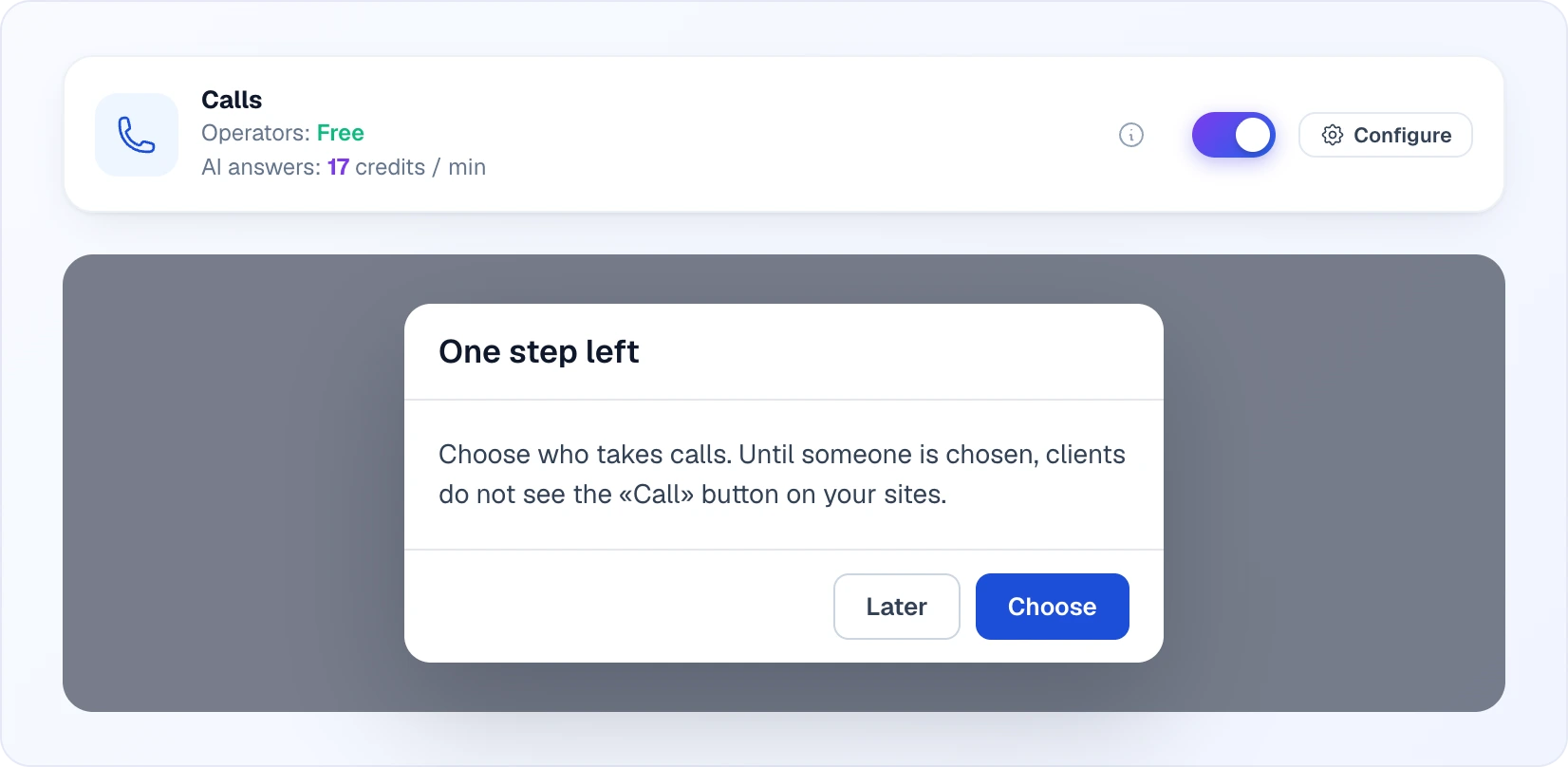
- Turning the module on is not enough by itself: clients only see the "Call" button once at least one team member has "Приймає дзвінки" ("Accepts calls") turned on for themselves, or the site answers calls in full AI autopilot. If you turn Calls on while nobody has been chosen to take them, a "One step left" popup appears. Choose takes you to picking people, Later closes the popup.
- Operators answering is free. Only the AI answering a call is paid, per minute of talk (counted by the second) — see Calls for the full walkthrough, pricing and the answer modes.
How cost is counted
All modules spend credits from one shared account balance. Billing units:
| Module | Unit |
|---|---|
| Looma AI Chat | AI message (Start–Max range depending on the model) |
| Looma Search | one completed search with results |
| AI Magic Data | processed product (shown per 100 products, one-off) |
| Knowledge Base, Google Base | 1 million characters of embedding |
| Category Database | 10,000 analysed URLs |
| AI Magic Report | generated report |
| Product Database | free |
| Calls | minute of AI talk (operators answering is free) |
The numbers on the page are approximate — the yellow note at the bottom says so: the actual cost depends on tokens, the length of product descriptions and customer queries. The figures in the mockups above are examples. See real spending in Billing and the credit rules in Credits & Plans.
If there are no sites
Modules are configured per site, so in an account without sites the page shows an empty state "No Sites Yet" suggesting you create a site first.
Related
- AI Assistant — the chat widget that several modules power
- Quick Search — the search widget powered by Looma Search and Category Database
- Knowledge Base & Google Base — topics and Google sources
- Categories — the content of Category Database
- Products & AI Magic Data — catalog processing
- Email Delivery — emails per site
- AI Magic Report — the account-level analytics module
- Calls — the account-level voice calls module, in full
- Automations — the neighbouring page for account-wide automatic actions
- Credits & Plans — how credits work